
Frequently Asked Questions [FAQs]
Get instant confirmation of your event booking with our new online ticketing system via TryBooking.com.
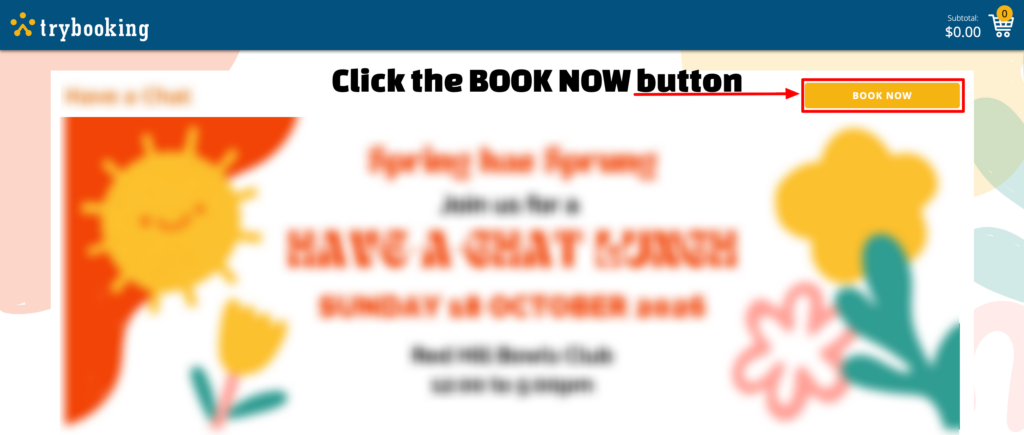
Open the Event Booking Page (via the Event page or in the SilverScene Newsletter) and Click "BOOK NOW" (orange button)
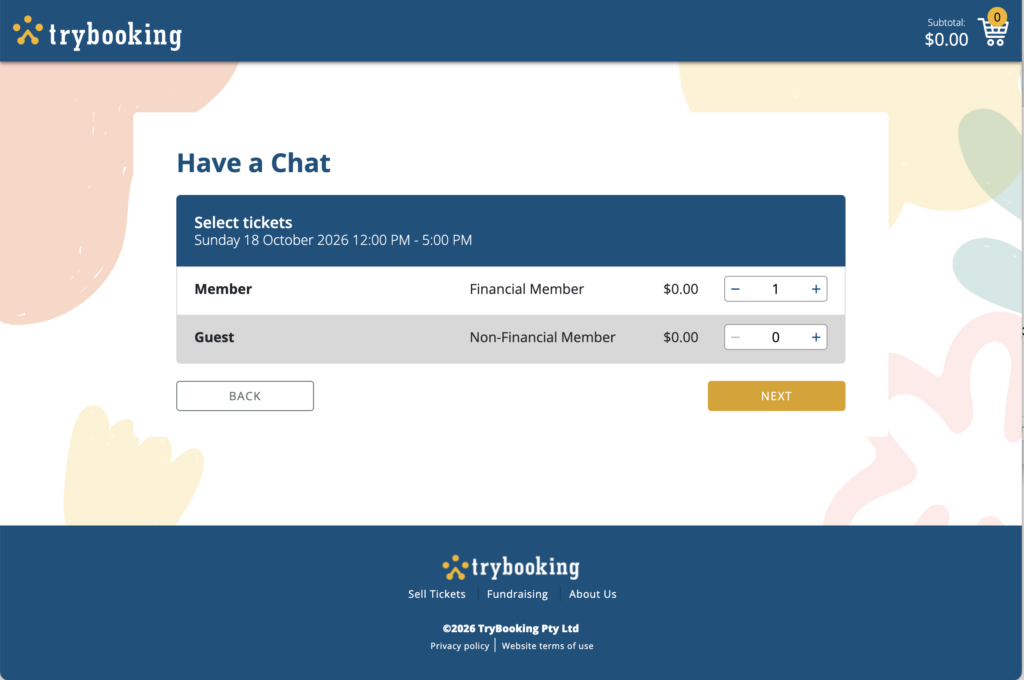
Select your tickets & click "NEXT"
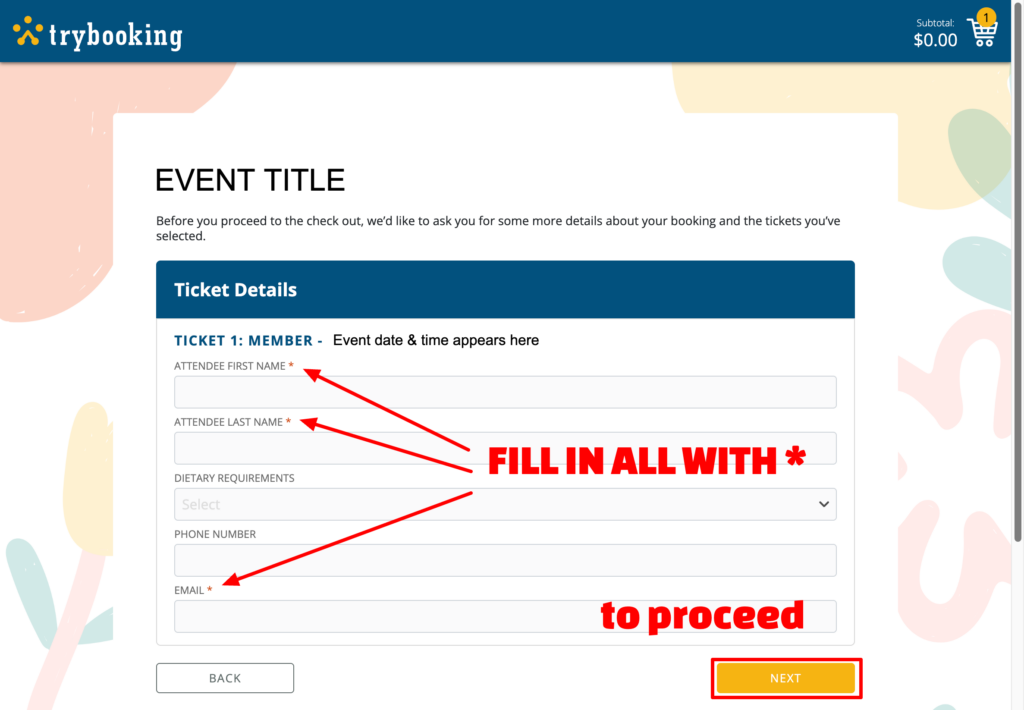
Fill in all the required fields on each ticket with the names of the people you are booking for. You must enter a first and last name and email for each person. [Enter your own email here if the person you are booking for doesn't have one.]
If you have a preference for who you wish to be seated with, you can enter this in the box under each ticket.
Then click "NEXT"
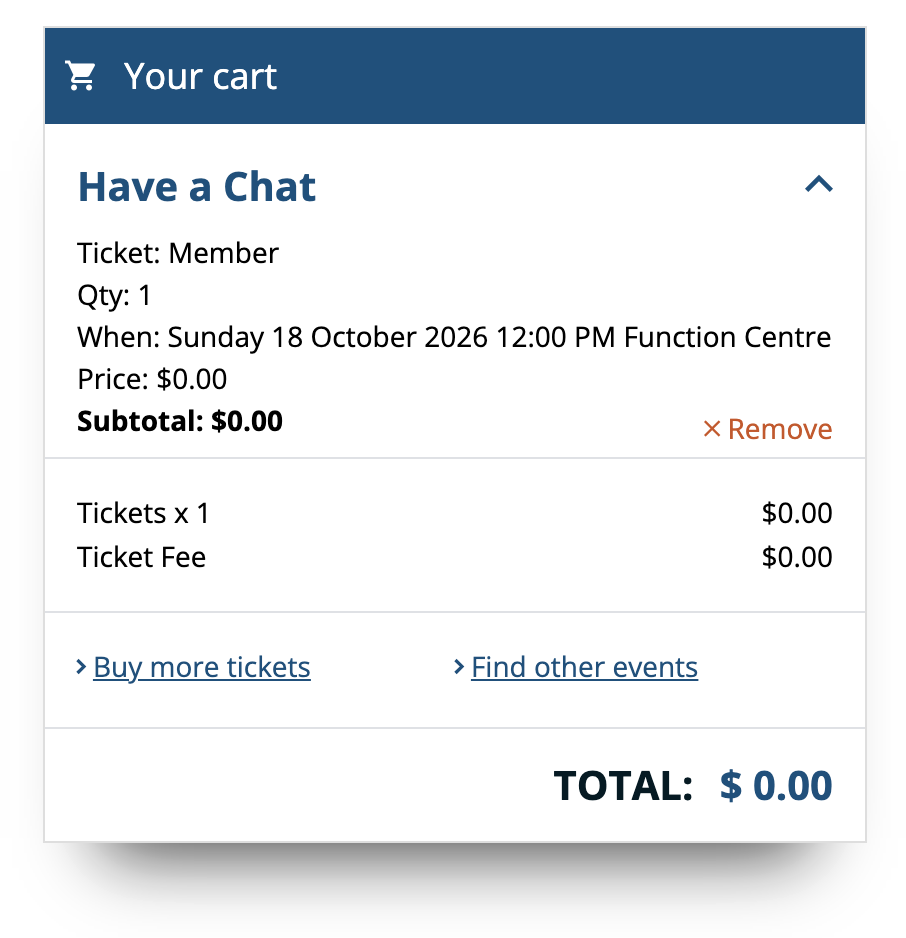
A summary of the number of tickets and their total will appear in "Your cart" box on this page. If you wish to delete or change your selection, click Remove (in red) in this box.
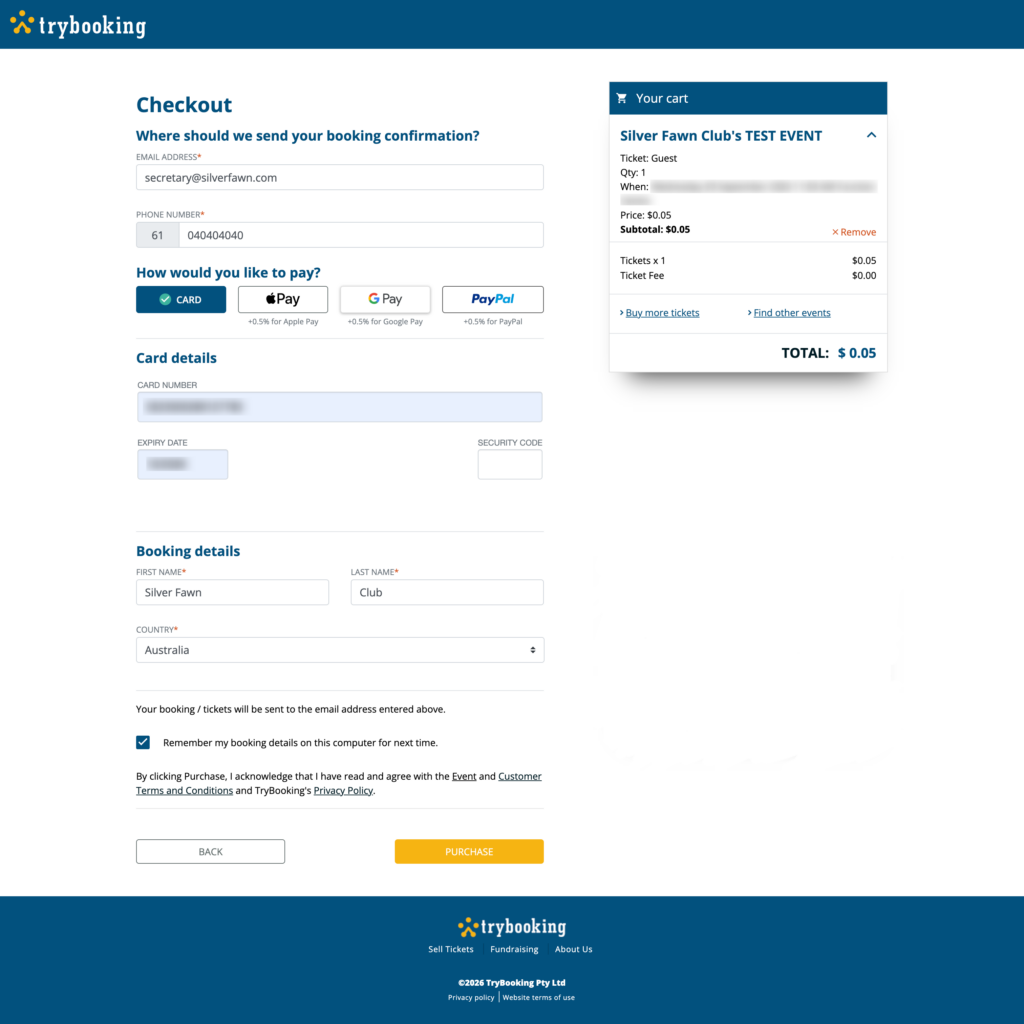
Fill in your details on the CHECKOUT page. Select a Payment method. Click "PURCHASE" to complete the process. You will be sent your Booking Confirmation email with the tickets and payment receipt [as 2 pdfs] via the email address you enter here. If you don't see it within a few moments, please check your spam folder.
Click the checkbox to receive promotional emails from the Silver Fawn Club.
[NOTE: This does not need to be checked to receive your tickets]
Prefer to see the process? Watch these video clips to follow along; Booking Tickets Online
Having trouble? Remove tickets from your cart and start again.
Stay up to date by subscribing directly to our SilverScene newsletter.
Connect with us
President
Denis Anthonisz
president@silverfawn.com
---
Hon. Secretary
Suzie Anthonisz
secretary@silverfawn.com
---
Connect with us and view upcoming events on our Facebook page: @silverfawnclub